 Nidorama
Your home, as a floor plan you can touch.
Nidorama is a dashboard for Home Assistant that looks like your home. Draw your rooms, drop in furniture, connect your devices, then tap the lamp to switch it and swipe to dim it. It runs on your own network: no accounts, no cloud, no tracking.
Get NidoramaSource code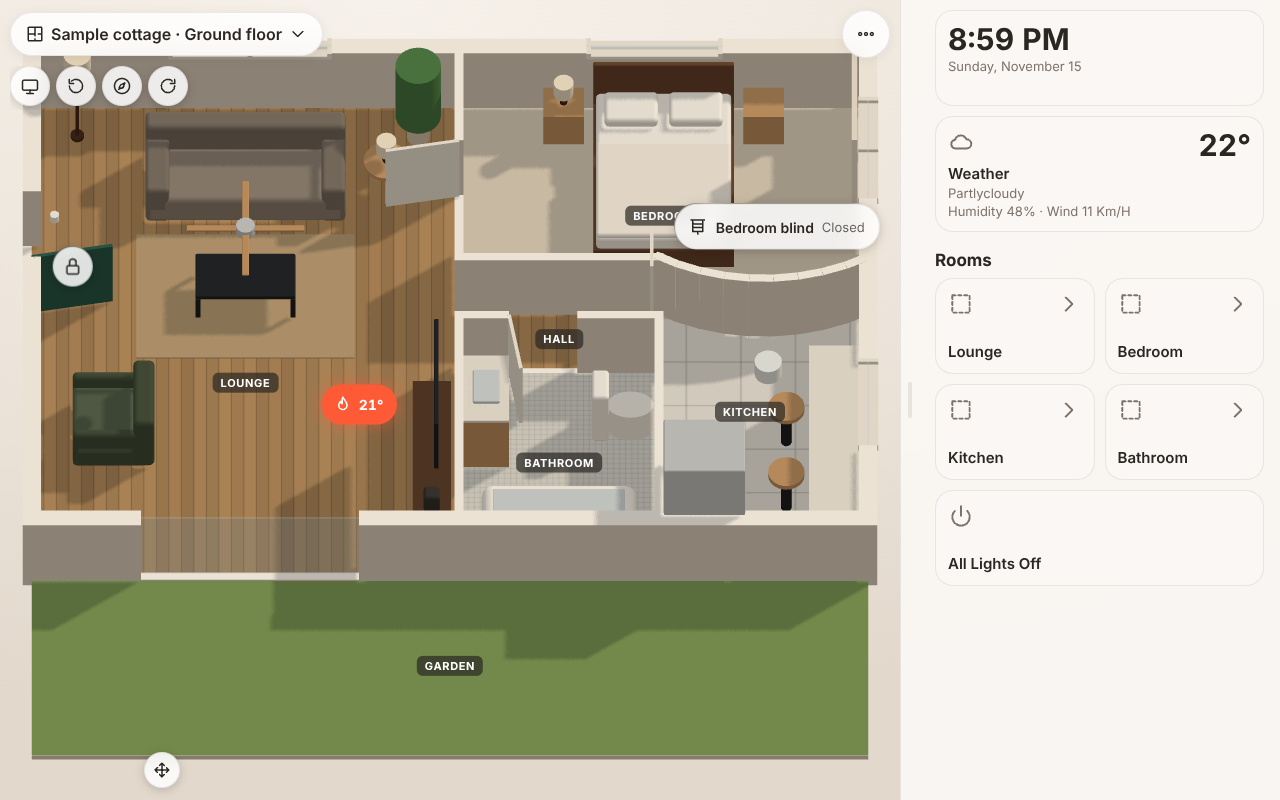
What it does
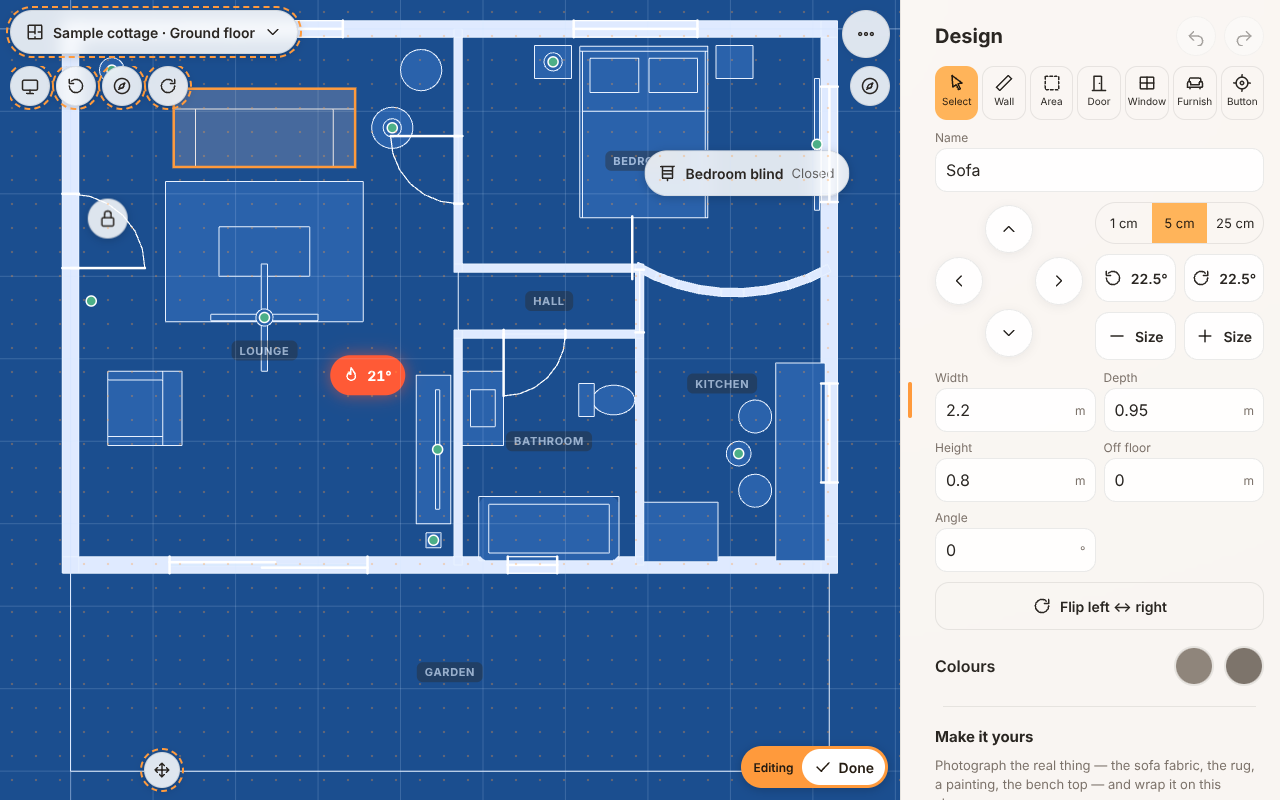
A home builder
Draw walls by length, add doors, windows and floors, and pick from a furniture library. Several levels, several homes, and the whole site with roofs.
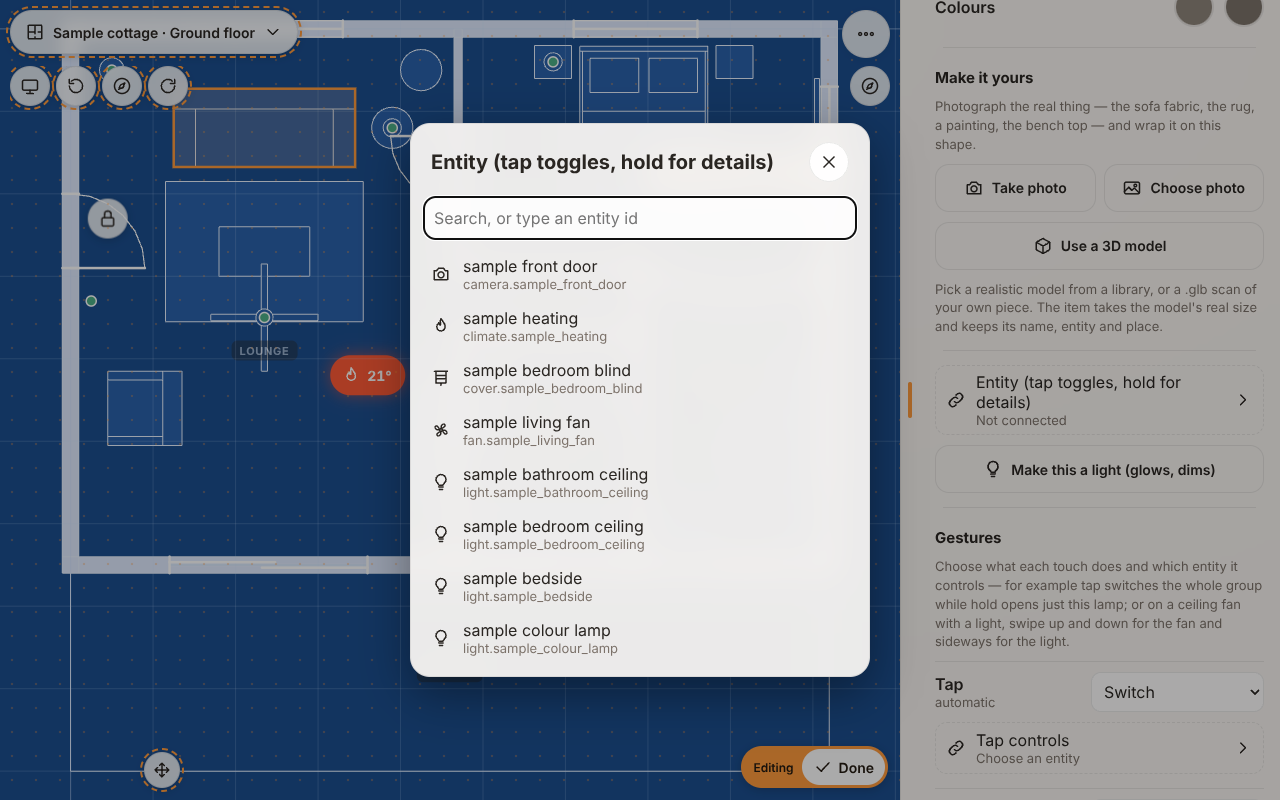
Your devices, where they really are
Connect furniture to your devices as you build. Tap, hold and swipe each do what you choose.
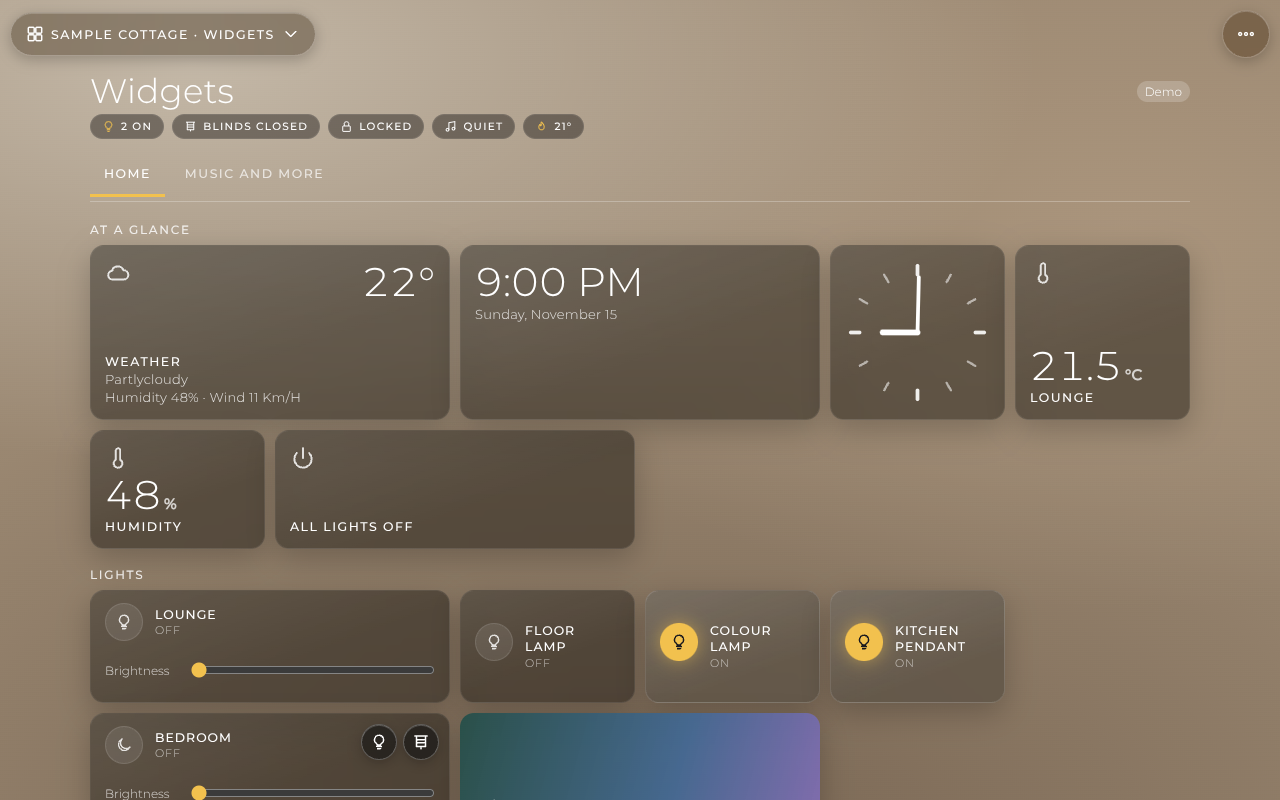
Widgets too
Weather, clocks, thermostats, music, cameras and calendars, on their own dashboards or beside the plan.
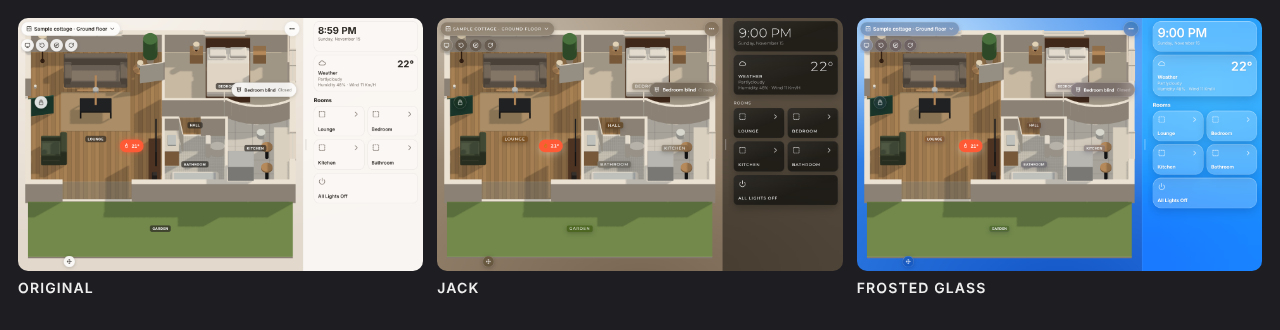
Make it yours
Plan styles from illustrated to realistic, themes with their own day and night looks.
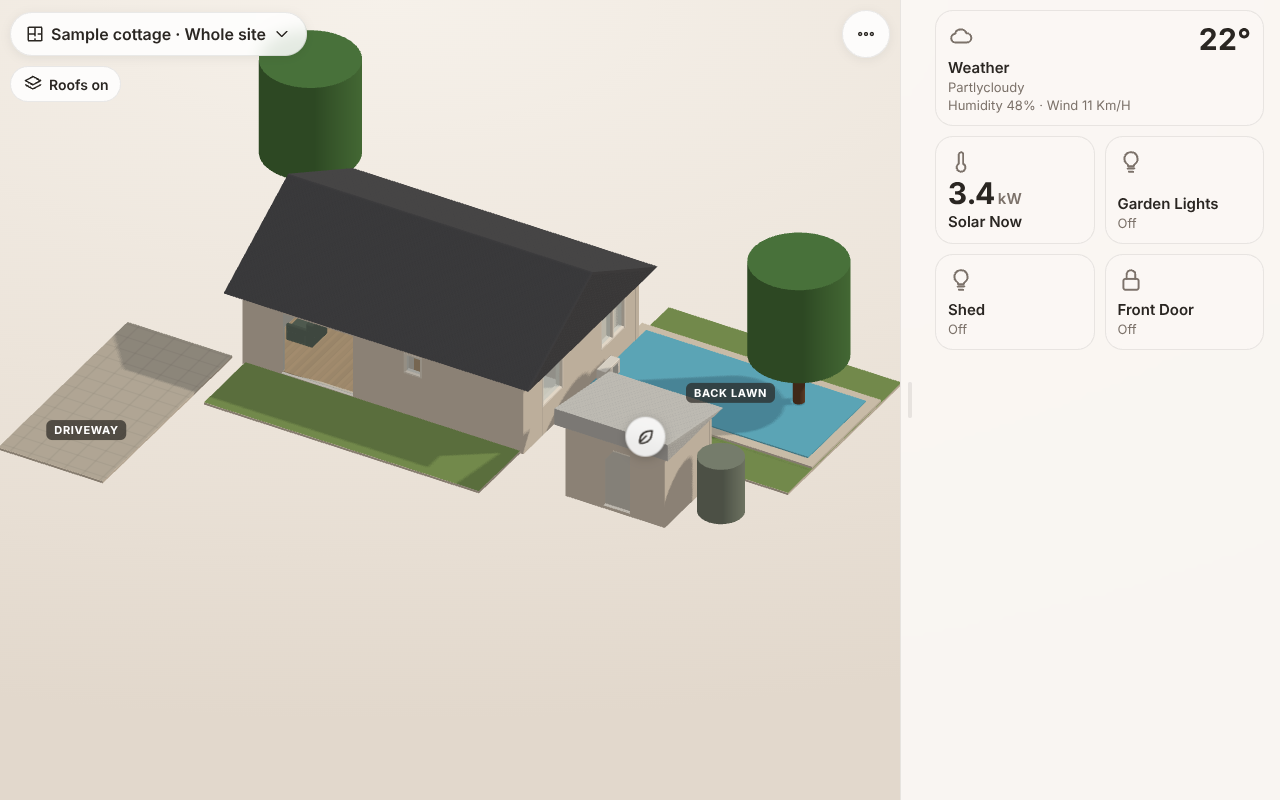
The whole site
Every building, its roof and the garden, in one view. Tap a building to go inside.
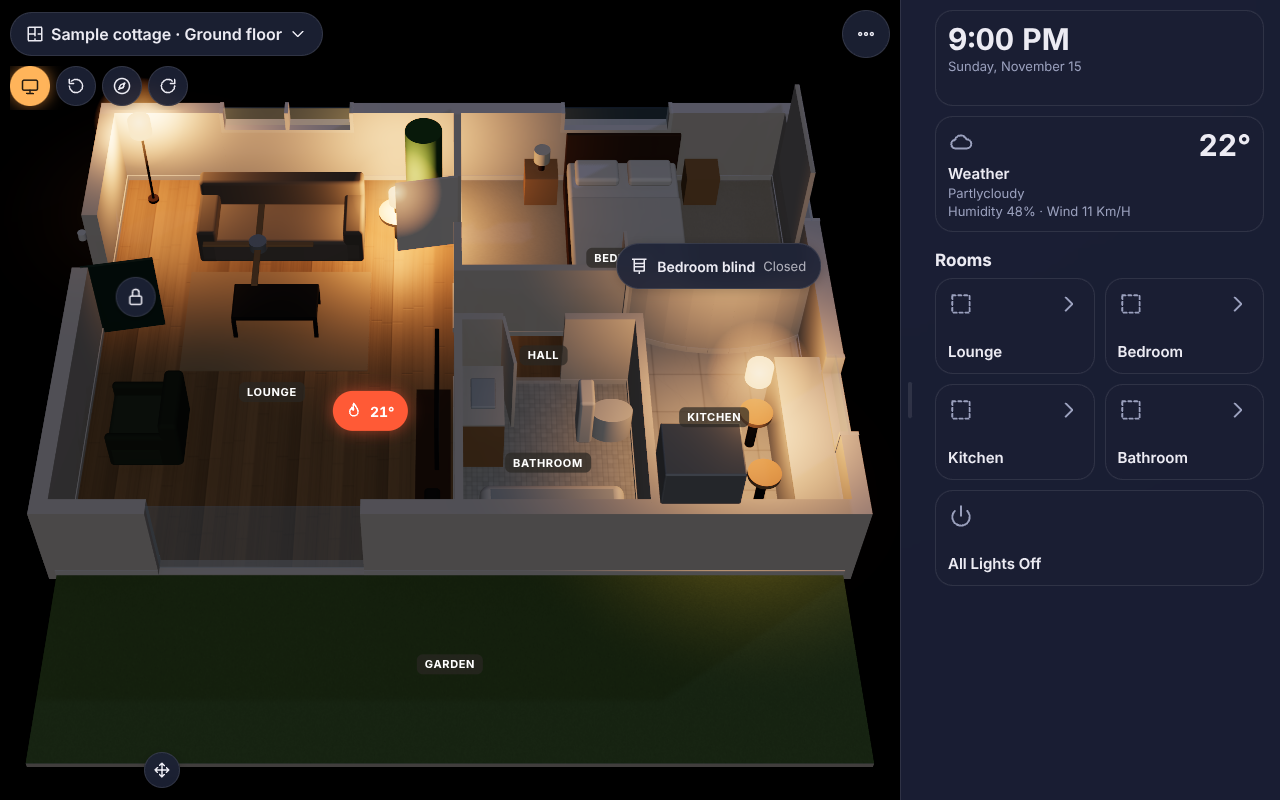
Made for wall tablets
Use it as your tablet's home screen or in kiosk mode. Home Assistant's own app is one tap away.
Get it
Home Assistant add-on
Nidorama in your sidebar, and every screen in the house shares the same homes.
- Add the repository to Home Assistant, or paste
https://github.com/Nidorrery/Nidoramain Settings → Add-ons → Add-on store → ⋮ → Repositories. - Install Nidorama and open it from the sidebar.
Android
For phones and wall tablets.
- On the device, download the APK from the latest release.
- Open it and allow installs from your browser.
- Sign in to Home Assistant, or try the sample home.
Any browser
Once the add-on is installed, open it from Home Assistant on any computer, phone or tablet.
Free and open source
Nidorama is free software under the GNU Affero General Public License, version 3. Everything it does in your home, on your devices and on your own network stays free. Ideas and bug reports are welcome on GitHub, or from inside the app (More → Requests).